In order to better understand how to monitor and control our appliances to take maximum advantage of available solar energy, predicting the likely solar availability is vital.
On sunny days in the summer our system could produce more than 80kWh of energy, while on a dark rainy winter day, this could be less than 10 kWh. Knowing whether there will be sun available to recharge the battery and run the heating will help planning when we need to recharge from the grid. Our supplier offers free electricity for three hours during the day, so knowing when we need to take advantage of this can be helpful
Predicting the solar energy our system will produce
In order to make an accurate solar energy prediction, we need to know a few things. Where on the planet the panels are located, how many panels and which direction they are pointing. What the weather is predicted to be for the day.
Even with this information, it is difficult to do all the calculations. Luckily there is Solcast which is a company providing this information to solar panel users around the world. They offer a free hobbyist service to anyone with home panels.
Registering for the Solcast solar prediction service
In order to register you can go to the Solcast API Toolkit and create a free account. Once you have registered, you can add a home PV system. Each account can have up to two free home PV systems. You then need to enter the location of your panels, and information about the orientation, the number of panels, the capacity and tilt of the panels.
Determining the orientation of your PV panels
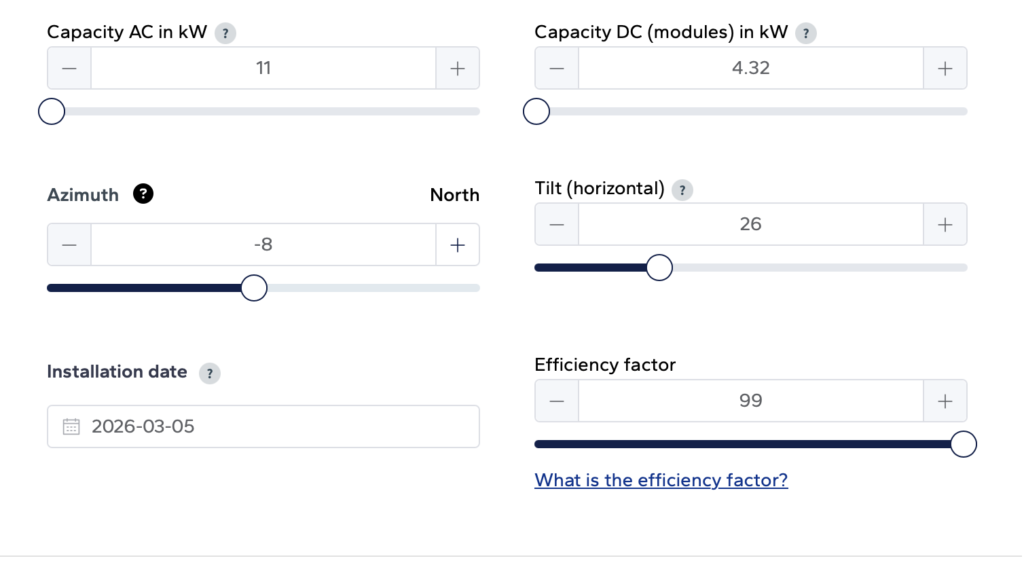
The easiest way to determine the direction your panels are oriented is to find your home on google maps, and the draw an arrow which points in the direction of your roof. In the case of Melbourne the street grid is aligned 8 degrees from true North, and the North facing panels point at -8 degrees.
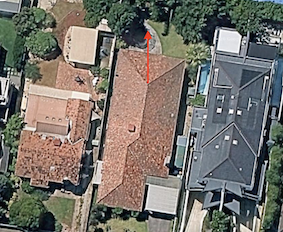
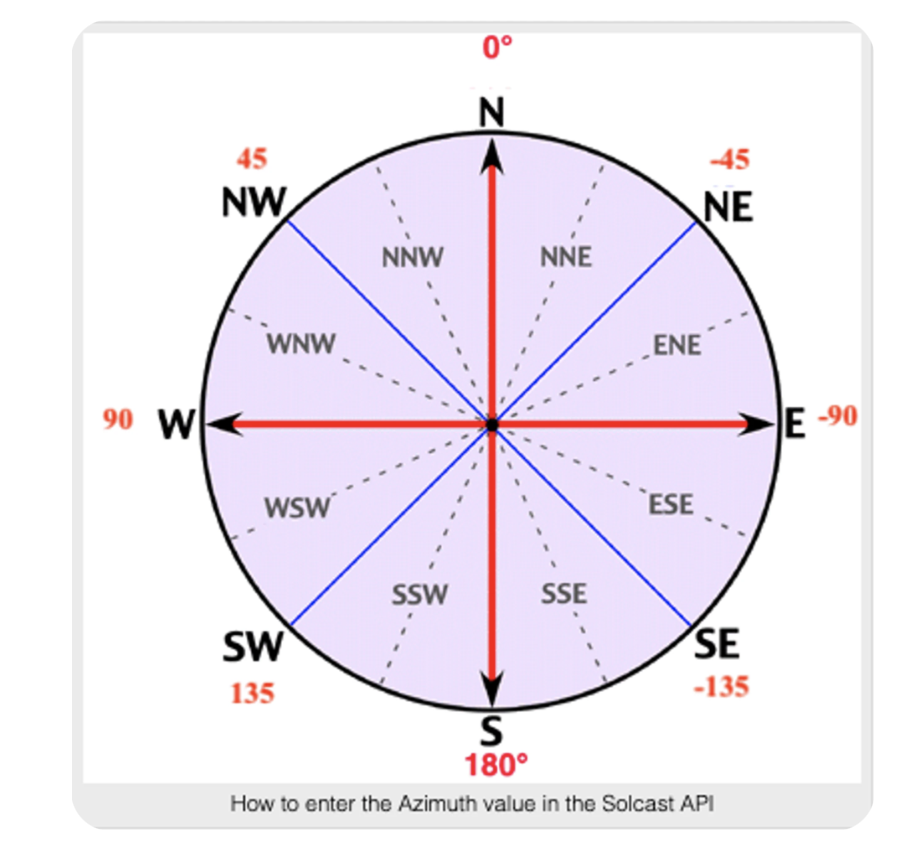
I measured the tilt of the tiles by using a phone app and placing it the roof aligned with the PV cells. The parameters for the system are entered as shown below.
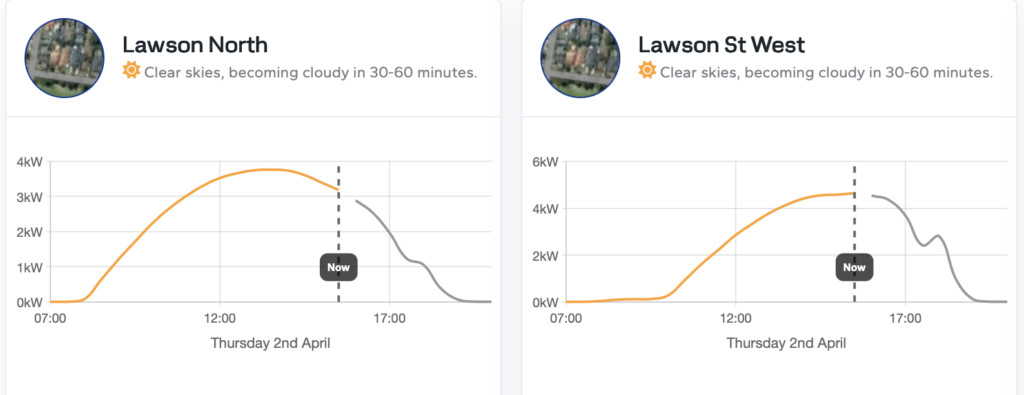
When you have entered your systems you will see a dashboard showing the actual and expected solar energy your panels should produce for today, and a prediction for the next few days.
Dealing with multiple PV strings
Our solar installation has panels facing three orientations. Solcast limits the free PV models for each account to two systems. If you have more than two, you can create an average over two or more of the PV strings to give an approximation. Otherwise you will need to have another account to model the extra strings. The integration for Solcast in Home Assistant can deal with this.
Adding the Solcast solar prediction data to Home Assistant
There is a HACS integration for Home Assistant which neatly brings the data in from your Solcast model. You can find it at ha-solcast-solar, and add it in the usual way you add HACS integrations.
This integration asks you to add information about your model, including the API key. You can add multiple strings of PVs when you are setting up the integration.
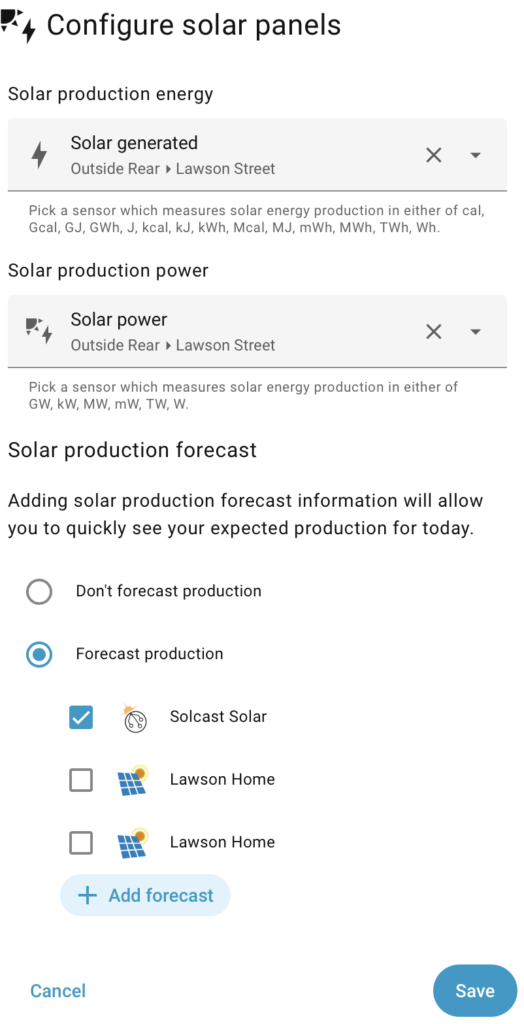
You then need to add this on the Energy Dashboard of Home Assistant. This is done in the Solar Panels section of the dashboard. You will need to edit the solar generated item you added previously (Using home assistant for monitoring battery and solar) and you will have the option of adding the solcast forecast.
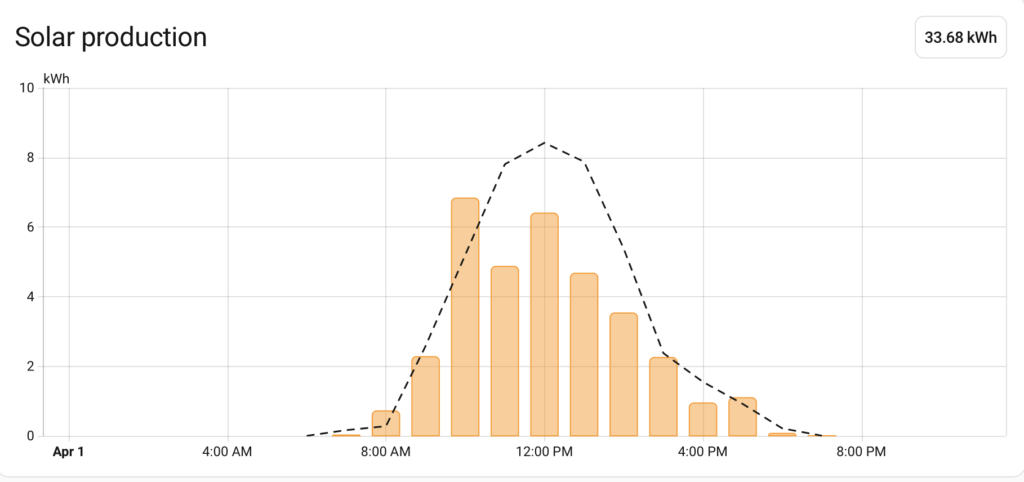
When you have added the forecast, the Energy Dashboard will now show both the prediction (dotted black line) and the measured solar power from your panels.
Leave a Reply